 SWISH AI Help Centre
Review a call in SWISH AI
Use the iPhone app to see how a conversation ended, read the evidence behind the category grades and pick something to practise.
1. Open the call and read the outcome
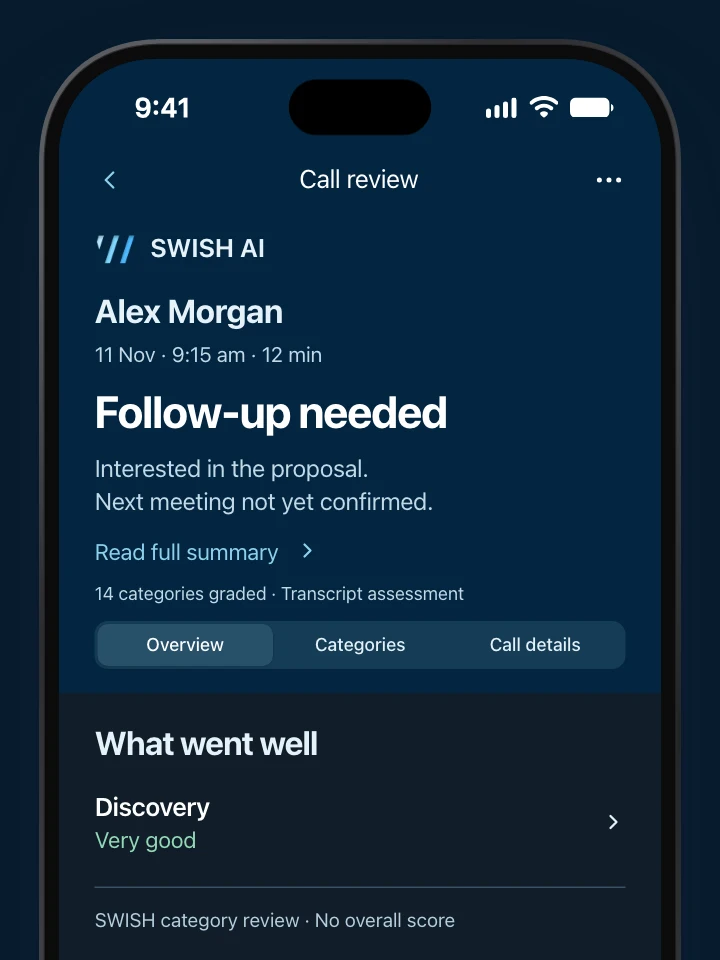
On Today, tap a call under Recent calls. You can also find it in Calls. Once the analysis is ready, the call opens on Overview.
Start with the outcome at the top and tap Read full summary for context. What went well highlights strengths from the assessment. Under Improve next time, expand a coaching point to see the suggested wording under Practise this when an example is available.
2. Check the evidence behind a grade
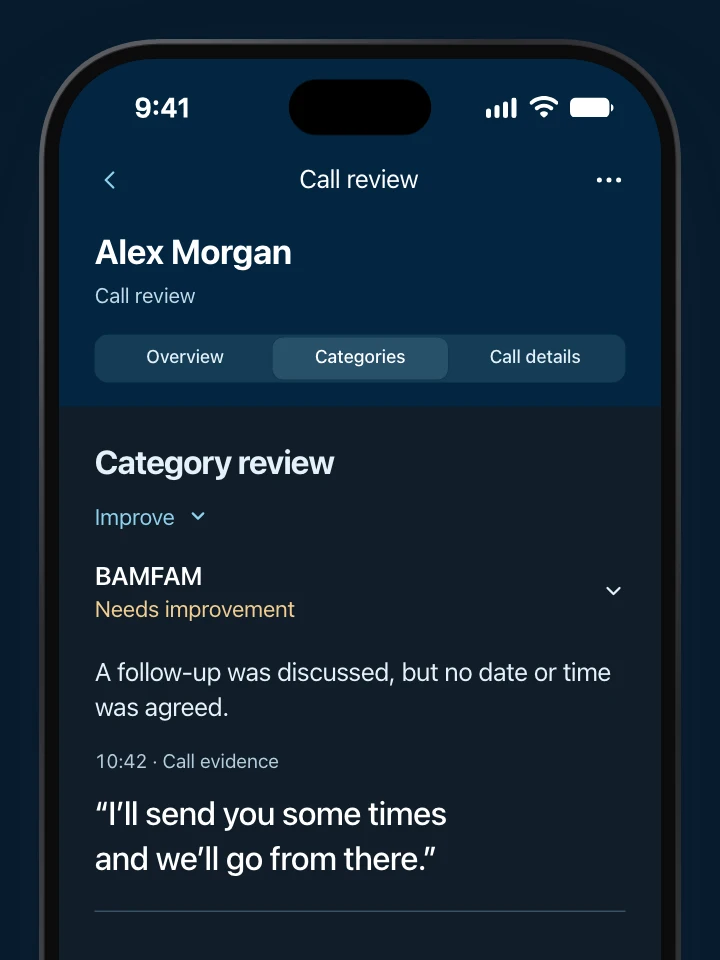
Tap Categories and choose Improve to focus on missed opportunities or Strengths to find what went well. Expand a category to read why it received that grade. When supporting evidence is available, you’ll see a quote and, where saved, its timestamp.
For example, BAMFAM stands for “Book a Meeting From a Meeting.” The grade can show that a follow-up was discussed without agreeing on a time. A line to practise would be “Would tomorrow at 10 or 11:30 work better for our next conversation?”
Not applicable means the category didn’t fit the call. Insufficient evidence means the transcript couldn’t support a grade. You can find both under Ungraded. Current reviews show individual category grades. Older calls keep their original assessment and may show Rubric instead of Categories.
3. Check the recording and next steps
Open Call details to listen to the recording if one is available. Use it to hear how a line was delivered. Next steps appears when the review has saved action items or commitments. Check it before following up so you can confirm what was agreed.
On a computer, follow Review a call on the web.